


Tattooist: AI Tattoo Generator
3.7362.00 Reviews
App Specs
- Version
- 1.16.0
- Updated On
- License
- Free
- Downloads
- 500,000+
- Developer
- MAETCH EXPANSION, S.L.
- Categories
- Art & Design
- Platform
- Android
Screenshots
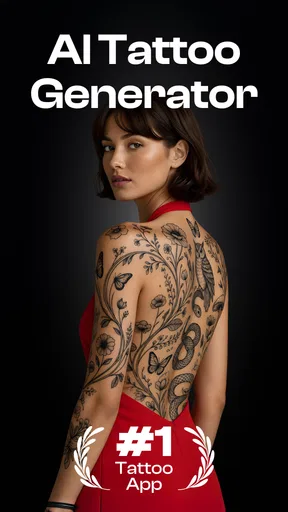
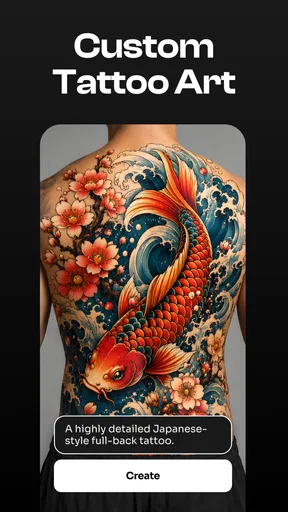
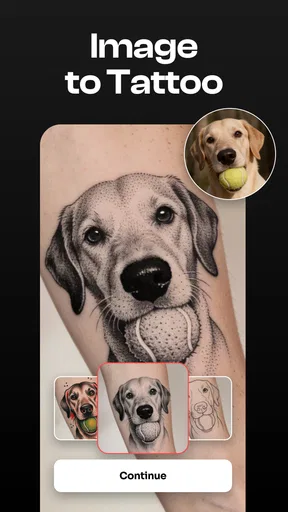
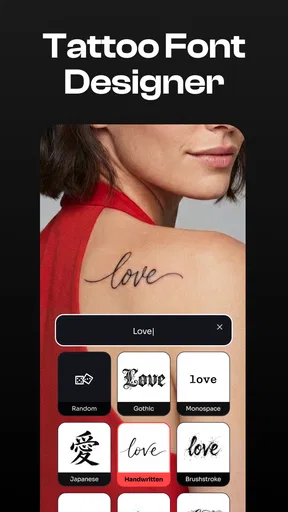
 Analysis by AppCompare
When I’m considering a tattoo, the hardest part is often turning a vague idea into something I can actually discuss with an artist. Tattooist: AI Tattoo Generator is aimed at that early, visual stage: it gives me a place to explore a concept, shape it into a design, and think about how it might sit on my body. I’d treat it as a sketchbook and planning aid, not a substitute for a professional tattooist’s judgement.
From a loose idea to a workable direction
A useful way to start is with one clear subject and a few visual cues rather than a long list of competing details. For example, if I’m thinking about a small botanical tattoo, I can settle on the plant, the mood, and whether I want something restrained or more decorative before exploring designs. That gives the generator a direction to work from and makes it easier to judge the results against my own taste.
This is where an AI design tool differs from searching image boards or scrolling through a tattoo artist’s portfolio. Those sources are valuable for learning what styles look like and finding artists whose work I trust, but they can leave me collecting references without making a decision. A generator is more useful when I want to test a personal combination of ideas. The trade-off is that generated artwork is a starting point: it may not have the consistency, technical understanding, or individual hand of a tattoo artist’s original design.
Making the design easier to evaluate
I’d compare a few directions before committing to one. If a first result feels too busy, I’d simplify the prompt or focus on one visual element rather than trying to fix everything at once. If it feels too generic, I’d bring in a more personal reference or a sketch. This small, deliberate loop—generate, inspect, adjust—usually tells me more than producing a large pile of images with no plan for choosing among them.
The app is in the art and design category, and that framing makes sense: its main value is helping me explore visual possibilities. It is free to download, with in-app purchases ranging from $6.99 to $39.99 per item. I’d begin by deciding what I actually need from the process before paying for anything. If I only want to see whether an idea has potential, the free entry point may be enough; if I’m considering a purchase, I’d first check what it unlocks and whether that matches my intended workflow.
Taking a concept into a real appointment
One everyday use case is getting ready for a consultation. I might spend a few minutes after work exploring a design for my upper arm, then save the strongest direction to discuss at an appointment. Before I share it, I’d note what matters most—subject, overall feeling, and placement—and what I’m willing to change. That gives the artist a clearer brief than simply handing over an image and asking for an exact copy.
A tattoo artist may need to redraw or simplify a concept so it works at the chosen size and on the shape of the body. Fine details that look appealing on a phone can become hard to read on skin, while lines, spacing, and placement need practical consideration. I would use the app’s output to communicate the idea, then leave the final technical decisions to the person who will tattoo it.
Worth Reading Before You Choose

Flipboard Shows What News Apps Must Do Beyond the Feed

Switching to Android Auto Means Rethinking Your Driving Routine

Google Calendar Makes a Crowded Week Easier to Manage

Ludo King Makes the Most of the Minutes Between Plans

Baby Panda World Brings Quick Play to Modern Phones, but Its Game Library Feels Busy

ESPN’s Live Game View Makes Following Close Games Easier
That handoff is also a good point to separate inspiration from ownership and originality. A design that looks compelling in a gallery or generated preview is not automatically a finished, exclusive tattoo design. I’d avoid asking an artist to reproduce another tattoo exactly; instead, I’d explain the elements I like and ask them to create a version that fits me. This is both more useful to the artist and more likely to result in work that feels personal.
Who will get the most from it
I think the app is best suited to someone who has a general idea but needs help visualizing possible directions, or someone who enjoys experimenting before talking to an artist. It can also be handy for comparing a few themes and styles when I’m not yet sure whether a concept should feel minimal, bold, or ornate. The key is to use the results as conversation material, not as proof that a design is ready to tattoo.
If I already have a trusted artist and a fairly specific concept, I might get more value from booking a consultation and bringing a short written brief with references. Likewise, someone who wants precise lettering, technically complex artwork, or a custom design with tightly controlled details may find a general-purpose generator frustrating. In those cases, an artist’s direct drawing process is a better fit than repeatedly trying to coax a phone app toward an exact result.
First Impressions and Features
As soon as I launched Tattooist: AI Tattoo Generator, I was greeted with a sleek and intuitive interface. The app is designed to be user-friendly, which is always a plus in my book. You don’t need to be tech-savvy to navigate through the various features.
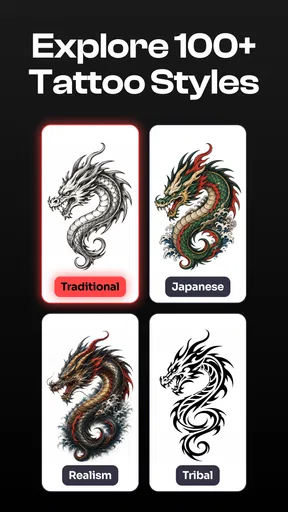
One of the standout features is the AI-powered design generator. With just a few taps, you can create a unique tattoo design that feels truly personal. You start by selecting your preferred style—be it tribal, minimalist, or something more elaborate. From there, the AI works its magic, crafting designs that are both creative and customizable.
Customization Options
Customization is where Tattooist really shines. You can tweak your AI-generated design by adjusting elements like size, color, and placement. This means you can get a real sense of how the tattoo might look on your skin. I found this feature particularly useful for visualizing my ideas.
Moreover, there’s an option to upload your own sketches or images. The app then integrates these with AI enhancements to produce a polished final design. It’s like collaborating with a digital artist who understands your vision.
Inspiration Galore
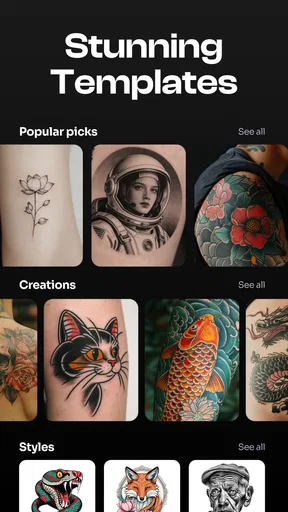
If you're ever in need of inspiration, Tattooist has got you covered with its extensive library of designs. Browsing through the gallery is almost like flipping through a tattoo magazine. You can filter by style, theme, or popularity, making it easy to find something that resonates with you.
The community aspect is also worth mentioning. Users can share their designs and inspirations, creating a platform for creativity and feedback. It’s a vibrant space where you can connect with fellow tattoo enthusiasts.
Trying it on and sharing the result
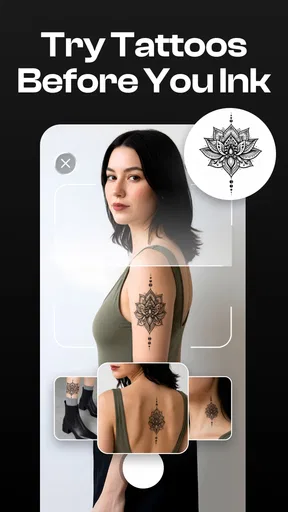
Once you've settled on a design, the app offers a neat feature to "try it on." Using augmented reality, you can see how the tattoo would look on your body. This feature was a game-changer for me—it’s one thing to see a design on screen, but seeing it "on" my arm made the decision process so much easier.
For a more useful preview, I’d test the design in the placement I’m genuinely considering and look at it from more than one angle. A tattoo that seems balanced in a flat image can feel very different when wrapped around an arm or positioned near a joint. I’d also use the preview to compare broad scale and placement, not to judge how the ink will age or how accurately the finished tattoo will match a screen image.
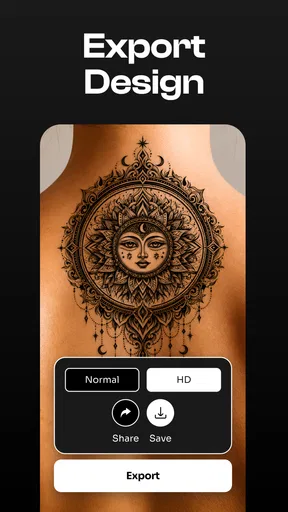
Sharing your designs with a tattoo artist is also seamless. You can export the final design in high resolution, ensuring that your tattoo artist has a clear blueprint to work from.
Before the handoff, I’d send the image alongside a short note about what I want to preserve and what can change. If I’ve uploaded a sketch or reference, I’d explain which parts are mine and which are examples of a style I like. That keeps the conversation focused and gives the artist room to adapt the idea for the body rather than treating the export as a rigid stencil.
Where the workflow needs a human eye
The most important limitation is the gap between a convincing preview and a tattoo-ready design. The app can help me explore composition, but a screen cannot settle every question about line weight, readability at the final size, or how a design should follow a particular area of skin. I’d ask the tattooist to review those details before treating any generated result as final. A clean-looking image is a promising reference, not a guarantee of a clean tattoo.
There can also be a practical difference between refining an idea and endlessly browsing. A gallery is helpful when I need a spark, but too many unrelated references can pull a design away from the reason I wanted it in the first place. I find it more useful to save only a small set of candidates and compare them against the same brief. That makes the choice clearer and helps an artist understand the direction without having to guess which image matters most.
For someone wondering whether this replaces a stencil-making or drawing workflow, I’d say it serves a different purpose. A traditional drawing app gives a skilled user more direct control over every mark, while an appointment with an artist brings professional feedback and a design made for the client. Tattooist is more approachable when the goal is to explore ideas quickly and visualize them; it is less suited to people who need exact, technical control from the first stroke.
Availability, fit, and my recommendation
Developed by MAETCH EXPANSION, S.L., the app is rated for Everyone and has a 4.1 average from around one thousand ratings, with over one hundred thousand installs. It was released on September 25, 2025, and version 1.9.0 requires Android 10 or later. Those details make it easy to check basic compatibility, but the more important question is whether its idea-first workflow fits the way you plan a tattoo.
I’d recommend trying it if you’re curious, visually minded, and comfortable treating AI artwork as a draft. It can make the uncertain early stage more enjoyable and give you something concrete to discuss, especially when you’re choosing among broad styles or trying to picture placement. I’d skip it if you expect a polished, artist-approved stencil without further work, or if you already know you need a highly controlled custom drawing. In that situation, going directly to a tattoo professional is the more efficient route.
Final Thoughts
In conclusion, Tattooist: AI Tattoo Generator is a must-have tool for anyone considering a new tattoo. Its blend of AI technology and user-friendly features make it a standout in the world of tattoo design apps. Whether you're a tattoo newbie or a seasoned ink enthusiast, this app offers a fresh and innovative approach to creating and visualizing tattoo art.
With its combination of AI creativity, customization options, and community engagement, Tattooist makes the tattoo design process not only more accessible but also a lot more fun.
Pros
- User-friendly interface for easy design creation.
- Wide variety of styles and templates available.
- Realistic previews with skin tone adjustments.
- Fast rendering of designs using AI technology.
- Customizable elements for personalized tattoos.
Cons
- Limited free features before in-app purchases.
- Occasional ads disrupt design workflow.
- Requires stable internet for optimal performance.
- Some designs lack high-definition quality.
- Not all languages are supported in app.
FAQs for Tattooist: AI Tattoo Generator
What is Tattooist: AI Tattoo Generator and how does it work?
Tattooist: AI Tattoo Generator is an app designed to help users create unique tattoo designs using artificial intelligence. By inputting specific preferences such as style, size, and theme, the AI generates custom tattoo ideas. It’s perfect for anyone looking to explore creative tattoo concepts before getting inked.
Is Tattooist: AI Tattoo Generator free to use?
The app offers both free and premium features. While basic tattoo designs can be generated at no cost, accessing advanced options and customization tools may require a subscription or one-time purchase. This allows users to fully explore the app’s capabilities and design more intricate tattoos.
Can I save and share my tattoo designs from the app?
Yes, Tattooist: AI Tattoo Generator allows users to save their favorite tattoo designs directly to their device. Additionally, you can easily share your creations with friends or tattoo artists via social media or messaging apps, making it convenient to get feedback or finalize your tattoo choice.
Does the app provide realistic tattoo previews on the skin?
Tattooist includes a feature that enables users to preview how their chosen designs would look on different areas of the body. Using augmented reality, the app superimposes the tattoo onto the skin, helping users visualize the final result before committing to a real tattoo.
Is Tattooist: AI Tattoo Generator suitable for professional tattoo artists?
While the app is primarily designed for individuals exploring tattoo ideas, professional tattoo artists can benefit from it as well. It serves as a creative tool for generating inspiration or providing clients with visual references. However, artists should rely on their expertise for final design execution.


